
Color by number offline, wherever you are
A long journey is a good time for a quiet picture. The illustrations and sounds bundled with Calma Color work without internet, so a patchy signal does not have to interrupt your coloring.
Try the coloring demo
What you can do without a connection
You can color the illustrations already bundled with the app, play the included sounds and save your progress offline. Choose a page, settle into the numbered fields and leave it unfinished whenever you like. You do not need to keep a browser tab connected.
Offline access does not unlock paid content. The free selection remains free; illustrations that require Premium still need that entitlement. Buying or restoring a purchase needs a connection to the relevant store.
A quick check before a trip
Install the app while you have internet, then open the page you want to take with you. If you expect to use paid features, complete your purchase or restore it before leaving. Downloading new content also needs a connection.
- Try the app briefly in airplane mode before you set off.
- Choose a simpler page for a short journey, or a detailed one for a longer stay.
- Bring headphones if you want to use the background sounds around other people.
Choose your picture before you leave
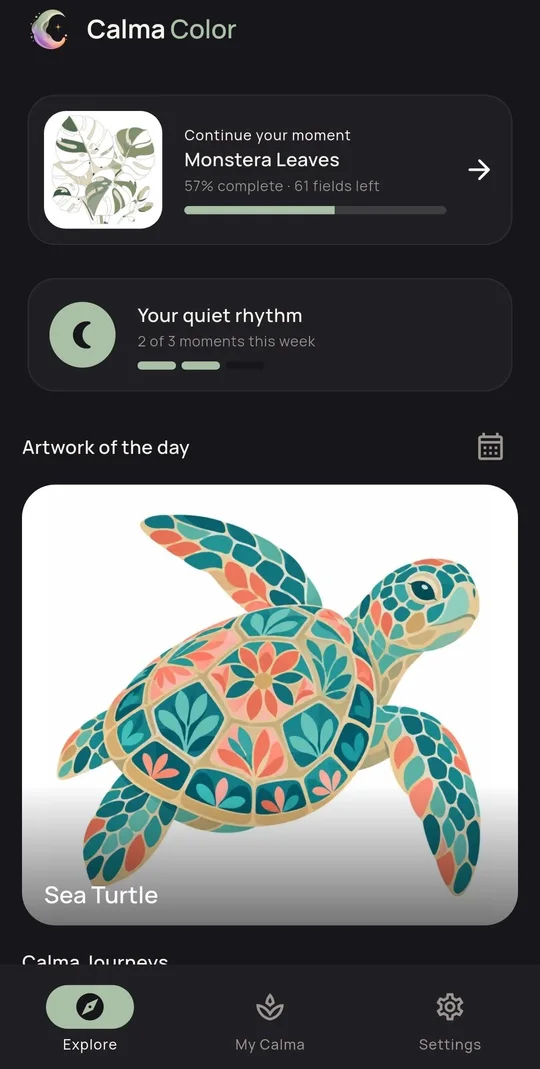
This is the app’s illustration browser. Pick a bundled picture while preparing for your journey, then try opening it in airplane mode. The included illustrations, sounds and local saves work offline; purchases and new downloads still need a connection.
Your progress stays on this device
Calma Color saves your work on the phone or tablet you use. You can stop partway through a picture and return later without a daily streak to maintain or a deadline to meet.
There is no Calma account that syncs your gallery across devices. A system backup may restore app data if it was enabled, but progress does not transfer between Android and iPhone. Keep that distinction in mind before replacing or resetting a phone.
A few useful answers
Can I color on a plane?
Yes. Bundled illustrations, sounds and local progress saving work in airplane mode. Install the app and arrange any purchases before your flight.
Does absolutely everything work offline?
No. Purchases, ads and downloading new content require internet. Offline coloring covers content already available on your device.